Give every project a clear path.
Set the direction, divide the work and keep the context close. Talqivo brings the moving parts of a project into a workspace your team can follow.
The same work. A different perspective.
A list for the detail, a board for the handovers, a calendar for the week ahead. Switch between perspectives on the same tasks, with filters and grouping that suit the person doing the work.
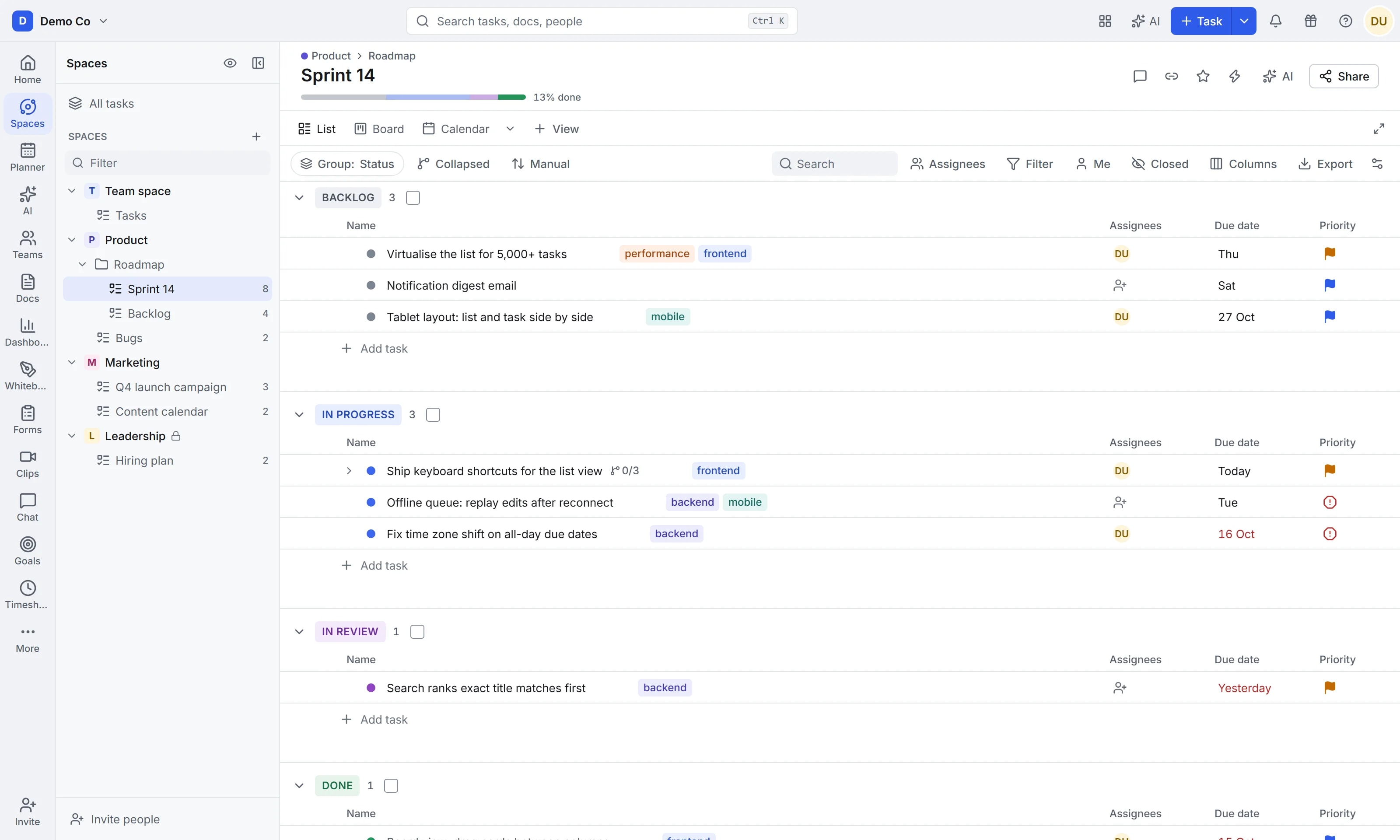
Group by status, priority, assignee or due date, and reorder by dragging.
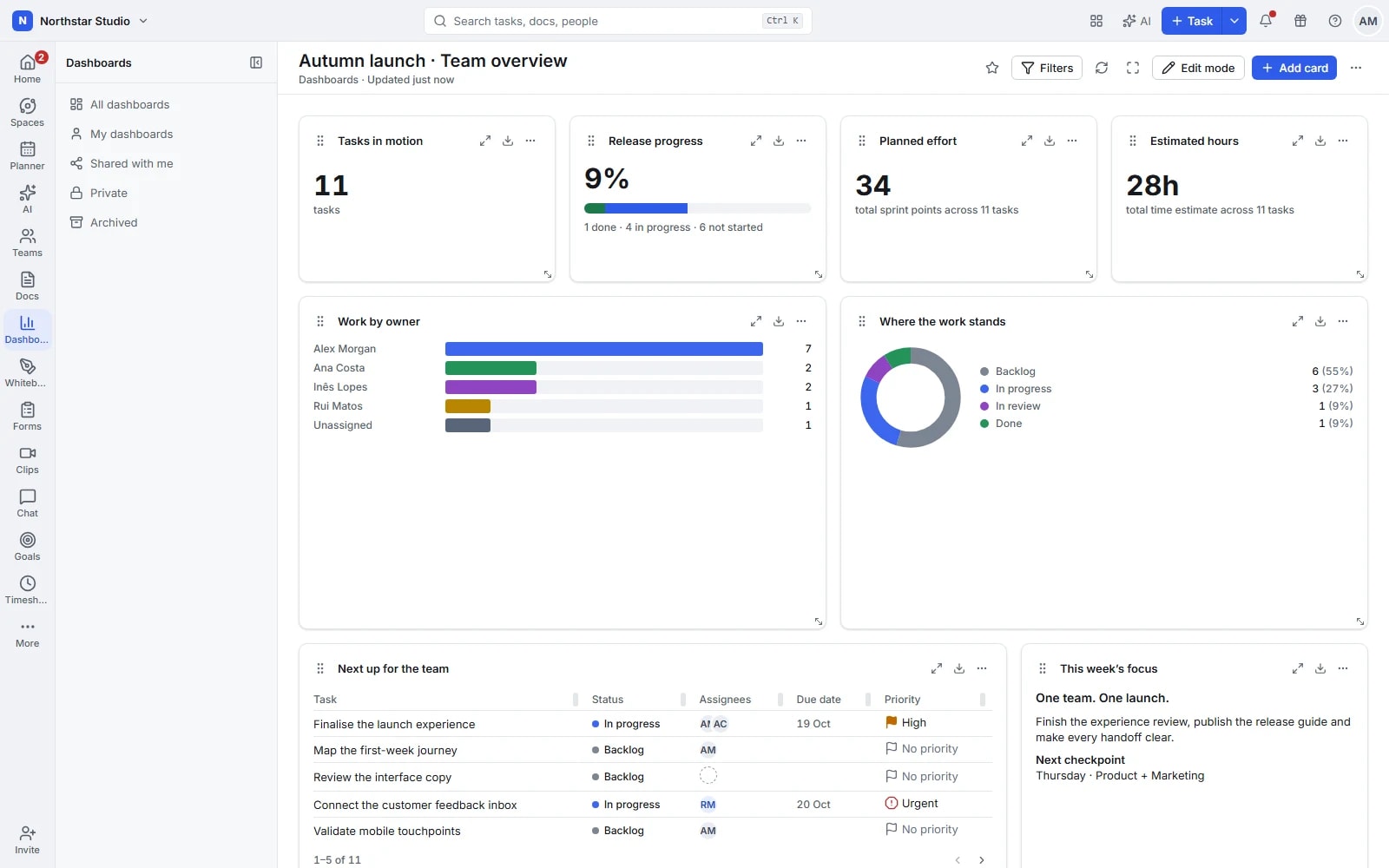
The real Talqivo workspace, shown with sample data.
Turn the plan into work someone can pick up.
Start with a project’s scope, then give every piece of work an owner, a place and a deadline. The details stay connected as your plan changes.
Break down the delivery
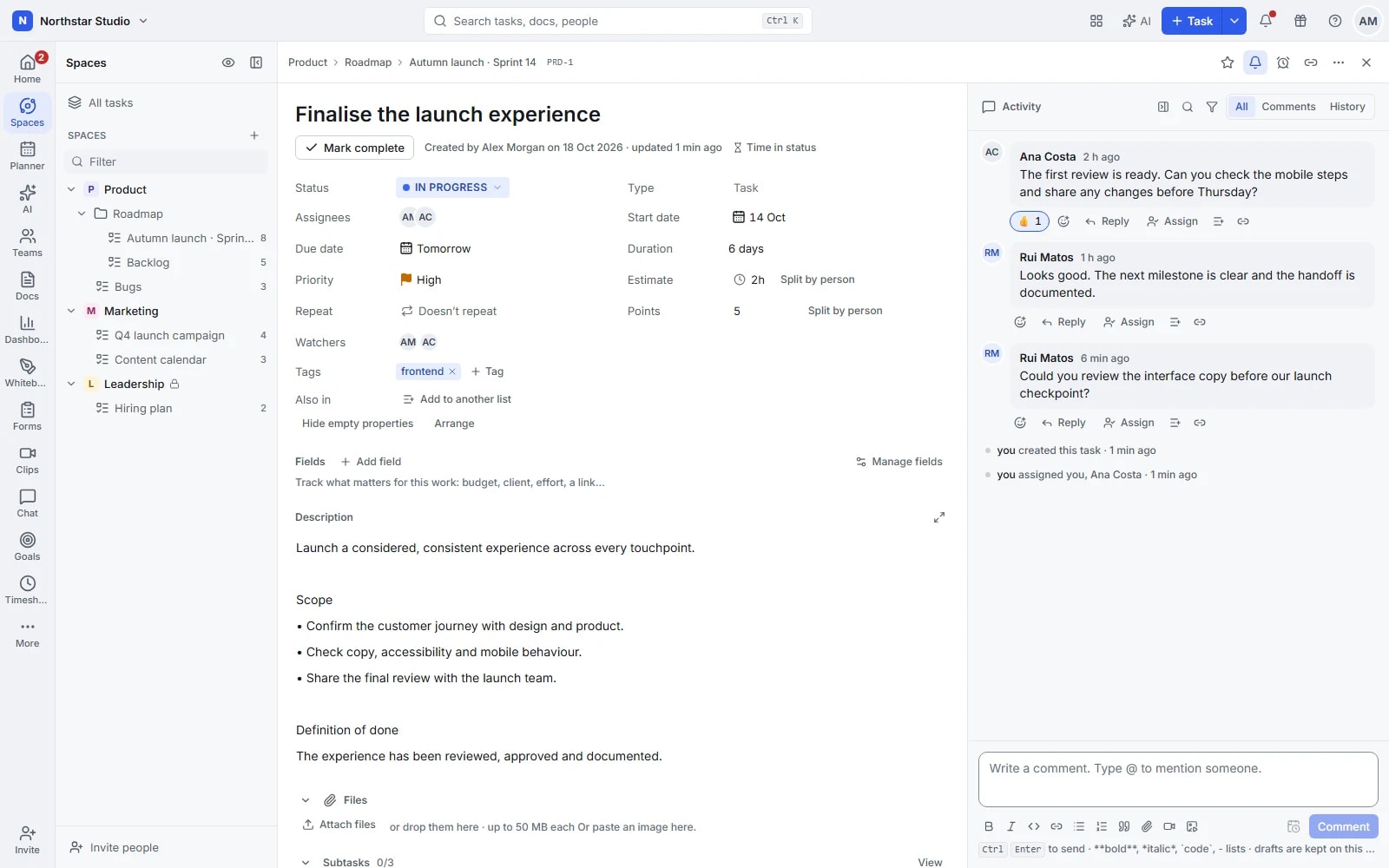
Use tasks, subtasks and checklists to separate a large deliverable into manageable steps. Add priorities, custom fields and dependencies to make expectations clear.
Choose a useful perspective
Review status on a board, compare dates in a timeline or work through the detail in a table. Save the filters you need without rearranging a teammate’s view.
Plan the next cycle
Organise a backlog and bring selected tasks into a sprint. Keep the release plan beside the work that needs to happen next.
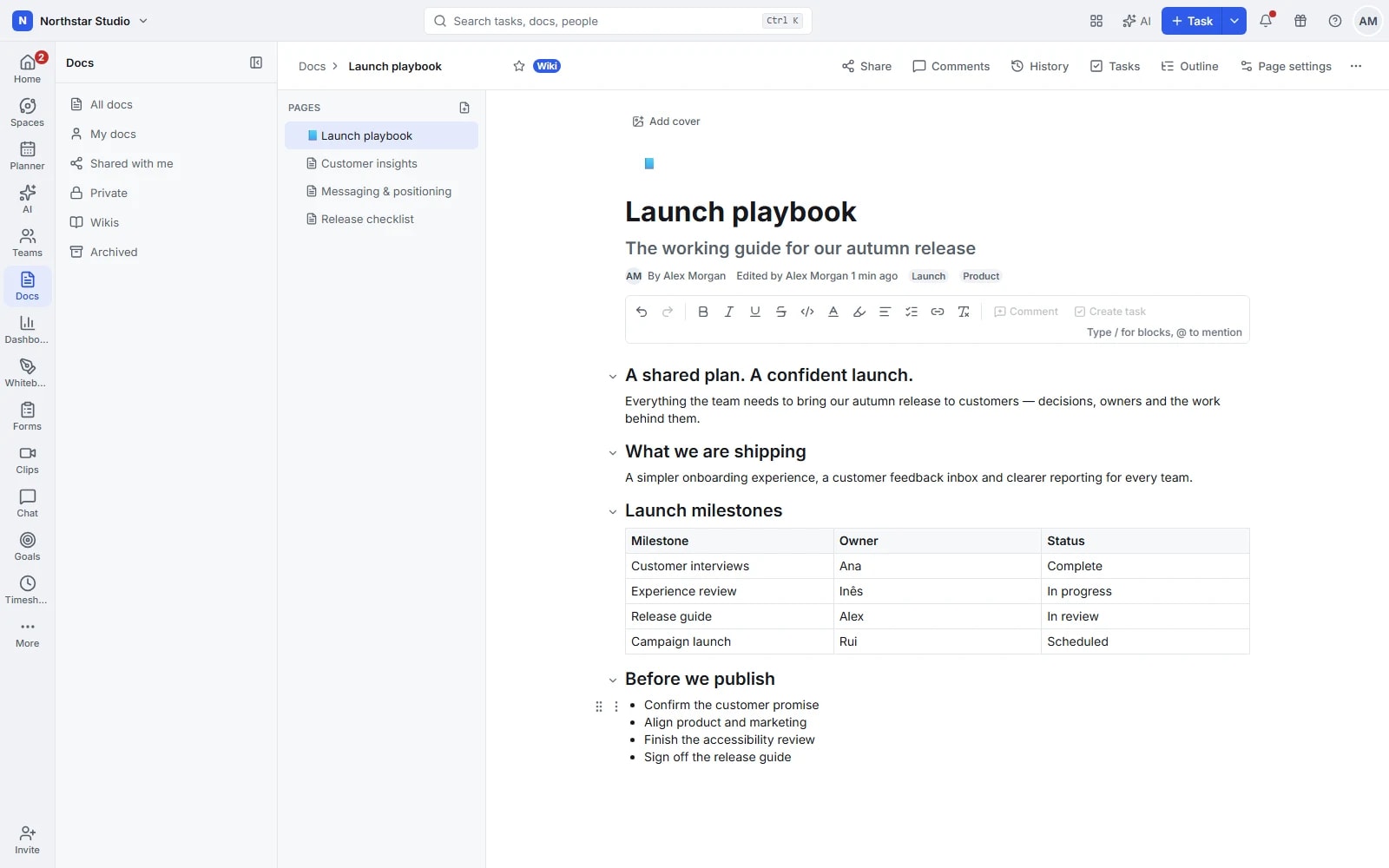
Give decisions a place beside the work.
A task tells the team what to do. Documents, conversations and visual explanations tell them why. Keep both close enough to be useful.
Write a shared source of context
Create briefs, meeting notes and team wikis in Docs. Edit together and link the reference material to the work it supports.
Discuss the right detail
Use channels for team conversations and task comments for specific feedback. Mentions help bring the right person into the discussion.
Show what words cannot explain
Map ideas and processes on a whiteboard, or share a recorded clip to walk through a change. Leave an explanation that teammates can revisit.
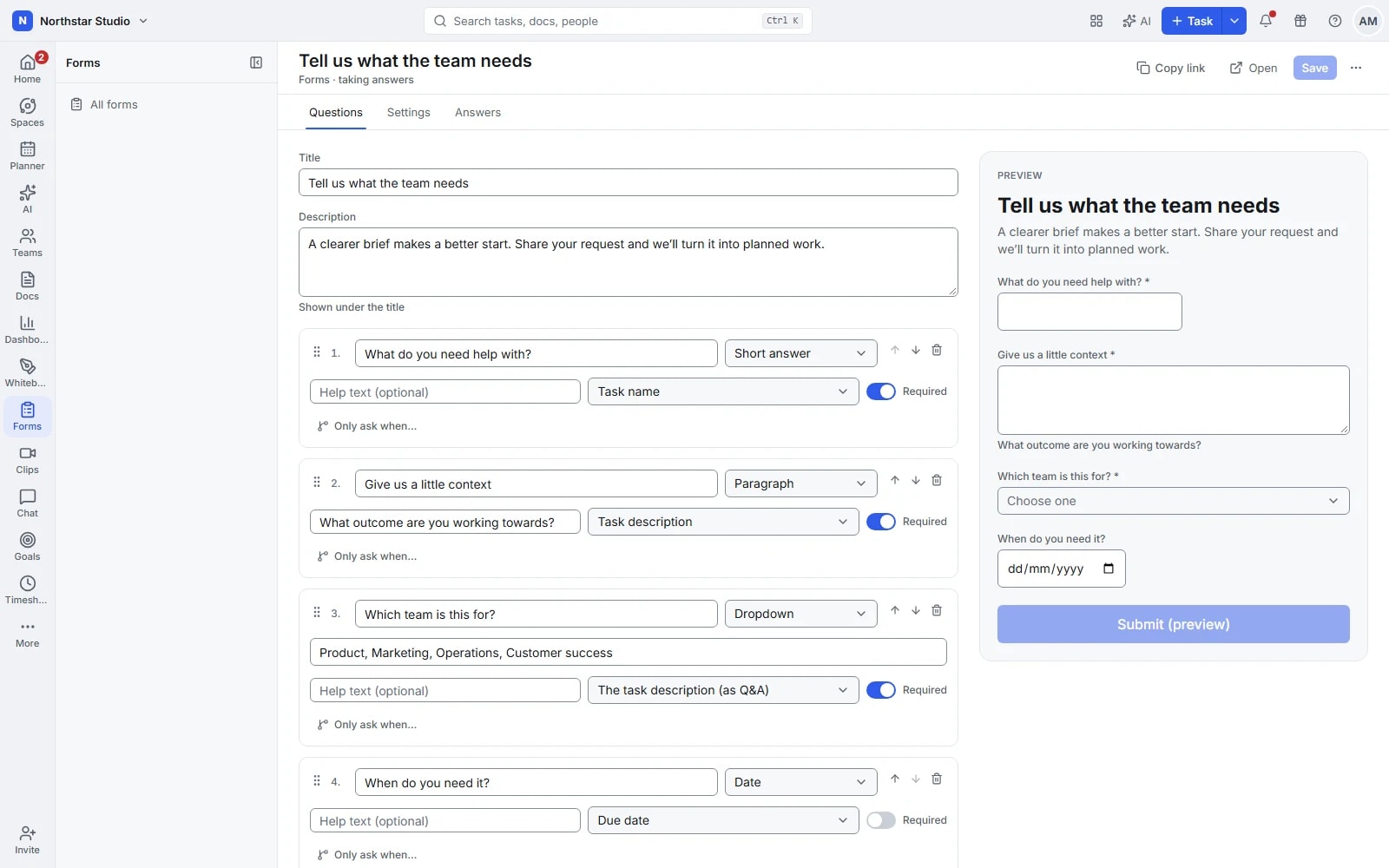
Make the next handover part of the process.
Recurring work should have a starting point and a clear route. Collect the information upfront, reuse what works and automate the steps that repeat.
Give requests a proper entry point
Build a form for the information your team needs. Turn submissions into work in a list, ready to be reviewed and assigned.
Reuse the routine
Start familiar projects from templates and schedule recurring tasks. Automation rules respond to supported events and conditions with actions you choose.
Add assistance where it helps
When a workspace enables AI and configures a provider, use the available writing and planning assistance. Your team decides whether to include it in the workflow.
Know how the work is going before the next meeting.
Project updates become more useful when they share the same source. Bring delivery, objectives and time into the review instead of rebuilding the picture by hand.
Build a view of delivery
Choose dashboard widgets and filters for the questions your team asks. Follow task progress and notice the work that needs a closer look.
Keep the objective visible
Set goals with measurable targets and update their progress. Give the team a shared reference for what the project is trying to achieve.
Understand the effort
Track time against tasks or add entries manually. Review timesheets to understand where effort went and inform the next estimate.
Start with one project. Keep room for the next.
Use spaces for teams or departments, folders for related projects and lists for the work itself. Invite colleagues and guests with appropriate access, then use search, inbox and reminders to find what needs your attention.
See how teams use TalqivoOne possible workspace structure
- Workspace · Your organisation
- Space · Marketing
- Folder · Website launch
- List · Launch deliverables
Access you control
Choose who can see and change your work. Two-factor sign-in adds another layer of protection to your account.
Made to be used
Keyboard navigation, clear contrast and an interface tested against WCAG 2.1 AA.
Work in your language
Available in English, Portuguese, Spanish, French and German.
Make space for the work that matters.
Bring your next project into Talqivo. Start with a task, invite your team and build from there.
Get started free