Make the idea clear enough to build.
Map a process, explore a customer journey or sketch a plan together, then connect the useful parts to real tasks.
Get started free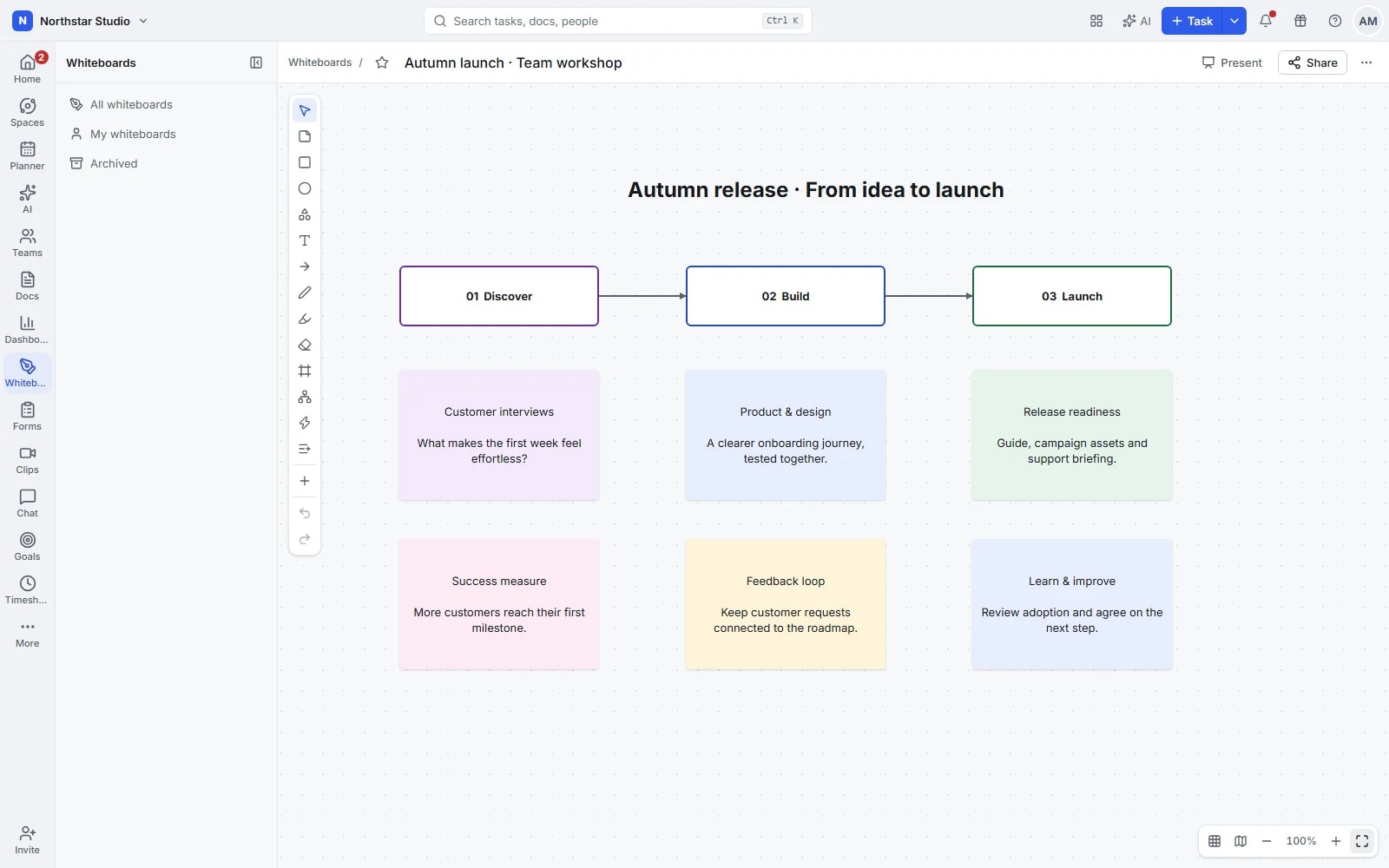
Some problems need space to spread out.
A list is useful once you know the steps. A whiteboard helps you work out what those steps should be. Put ideas, questions and relationships on a shared canvas, arrange them together and keep the result beside the project it informs.
The details your team can work with
- Explain the relationships
- Use shapes, text, connectors and freehand drawing to map a process or compare options. Show what depends on what, where a handover happens and which questions remain open.
- Work on the same canvas
- See colleagues' cursors and presence while you explore ideas together. Add comments where a question belongs so feedback stays attached to the right part of the board.
- Bring order to the discussion
- Group related elements and use alignment controls to make a busy board easier to follow. Start from a template when you need a familiar structure for a workshop.
- Connect the sketch to the project
- Create tasks from the board or link existing tasks to the plan. Carry the useful outcomes into delivery while keeping the visual explanation available to the team.
Explore the details
- Notes, shapes, text and drawing
- Use sticky notes, shapes, text and freehand drawing to explore a process, collect ideas or explain an unfamiliar relationship.
- Connectors, labels and mind maps
- Join related elements with connectors, add labels where needed and arrange branches into a mind map that explains the idea.
- Task, document, image and link cards
- Bring existing tasks, documents, images and web references onto the canvas so the discussion can use the material behind the plan.
- Notes into tasks and reusable boards
- Turn a useful note or shape into a task, or start a board from a built in or saved template.
- Shared cursors and laser pointer
- See colleagues working on the same board and point to the relevant part of the canvas during a shared discussion.
- Selection, groups, layers and locking
- Select related elements together, group them, adjust their stacking order and lock parts that should stay in place during the session.
- Alignment, grid and formatting
- Align elements, use the grid and adjust supported colours and formatting to make a busy workshop board easier to follow.
- Frames, presentation and export
- Organise a board into frames, present the relevant parts in sequence and use supported exports when the result needs sharing elsewhere.
- Comments, access and public links
- Leave comments beside the visual plan, choose the people who can access it and enable an appropriate public viewing link.
- Optional ideas and diagram assistance
- When AI is enabled and configured, request ideas or a diagram draft, then review the result before using it in the board.
Run a workshop that leads to a plan
Give the session a question to answer, organise the ideas and leave with work the team can pick up.
Frame the problem
Start with a blank canvas or template. Set out the process, journey or decision the group needs to understand.
Explore and arrange
Add ideas together, connect the relationships and group related points. Use comments to capture questions without losing the shape of the discussion.
Turn outcomes into tasks
Create or link the tasks needed to carry the plan forward. Keep the board as the shared reference for the reasoning behind them.
A practical example: a customer onboarding process
Map the journey from a signed proposal to the first delivery. Mark the handovers between sales and operations, group the documents each stage needs and create tasks for the gaps the workshop uncovers.
An example you can adapt to your own team.
Questions about Whiteboards
Can several people use a board at once?
Yes. Shared presence and cursors help the team work on the same canvas, while comments let colleagues add feedback around specific parts of the plan.
Does the board connect to existing work?
Yes. Link existing tasks or create tasks from the board, so the visual plan remains connected to the work that follows.
Make space for the work that matters.
Bring your next project into Talqivo. Start with a task, invite your team and build from there.
Get started free