Understand where project time goes
Record time against the work, compare it with estimates and bring the week's entries together for review and approval.
Get started free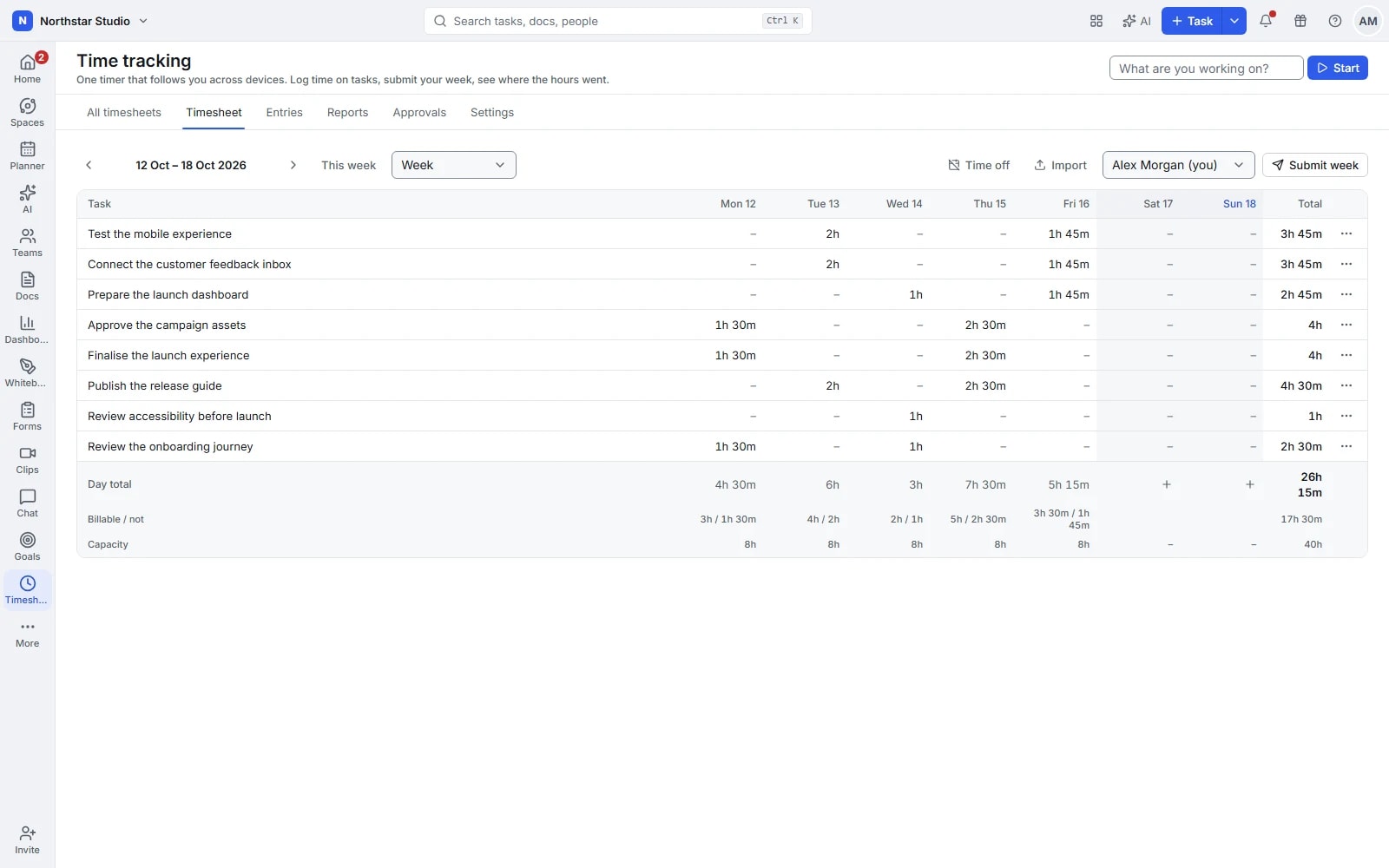
The hours make more sense beside the work
Time records are more useful when you can see what they relate to. Talqivo connects timers, manual entries and estimates to tasks, then brings the entries into timesheets and reports. People can record their day as it happens or fill in a missing entry before submitting the week for approval.
The details your team can work with
- Capture work as it happens
- Start a timer from a task and stop it when you finish. The running timer survives a page reload; starting another stops the first, keeping active tracking focused on one piece of work.
- Fill the gaps with context
- Add time manually using a duration or start and end times. Include a description, tags and billable status so a later review has more to go on than a total.
- Review and approve the week
- Check entries in a weekly, fortnightly or monthly grid, then submit weeks for review. Approvers can comment, approve or reopen; submitted and approved periods have editing controls.
- Compare the plan with the effort
- Set task estimates, review tracked time and group reports by person or period. Apply configured rates to billable time and export CSV data for the next step in your reporting process.
Explore the details
- Persistent timer and task switching
- Start a timer on a task, keep it through a page refresh and stop the previous timer when starting another activity.
- Manual durations and time ranges
- Add a missing entry using a duration or start and end times, with the correct task and date for the work.
- Descriptions, tags and billable entries
- Describe the activity, apply useful tags and mark time as billable when it belongs in the project's billing review.
- Personal and team timesheets
- Review your entries in a timesheet and let authorised reviewers examine the team's recorded time with the relevant task context.
- Submission, approval and reopening
- Submit a week for review, discuss corrections and approve or reopen it; authorised reviewers cannot approve their own timesheets.
- Rates and billable reports
- Apply configured rates to billable records and inspect the resulting reports as an input to your existing billing process.
- Task estimates and subtask rollups
- Estimate task effort, use supported subtask rollups and compare the planned amount with recorded time before the next planning conversation.
- Time reminders and visibility rules
- Configure available time reminders and control who can view estimates or other people's recorded time through workspace and guest permissions.
- Filtering, grouping and CSV
- Narrow time records to the relevant people or period, group the report usefully and export CSV for further analysis.
- External time imports
- Import a supported date range from Toggl Track, Clockify, Harvest or Everhour after connecting the appropriate personal account.
- Optional time entry drafts
- When AI is enabled and configured, request suggested time entries from available activity, then review the details before keeping them.
Make time review a small, regular habit
Keep recording close to the work, then use the weekly review to catch missing detail while it is still familiar.
Set an expectation
Add estimates to planned tasks and agree when the team records time. Configure billable defaults and rates where they are relevant.
Record and check
Use a timer while working or add an entry afterwards. Review the timesheet for the right task, date and description.
Submit and learn
Submit the week, resolve review comments and compare the resulting reports with your estimates before planning the next piece of work.
Review a design project with the detail intact
A designer records time on research, layouts and revision tasks. The lead reviews the week with those activities visible, checks billable entries and approves it. On the next brief, the team can compare its original estimates with the effort each stage actually required.
An example you can adapt to your own team.
Questions about Time tracking
What if I forget to start the timer?
Add a manual entry with a duration or start and end times. You can correct its date or task before the relevant week is locked for review or approval.
Can someone approve their own timesheet?
No. Timesheet approval is handled by an authorised approver. Review comments and reopening support corrections, while editing controls preserve submitted and approved records.
Make space for the work that matters.
Bring your next project into Talqivo. Start with a task, invite your team and build from there.
Get started free