Keep the conversation moving the work.
Bring team channels, direct messages and project discussions into the workspace where decisions become tasks.
Get started free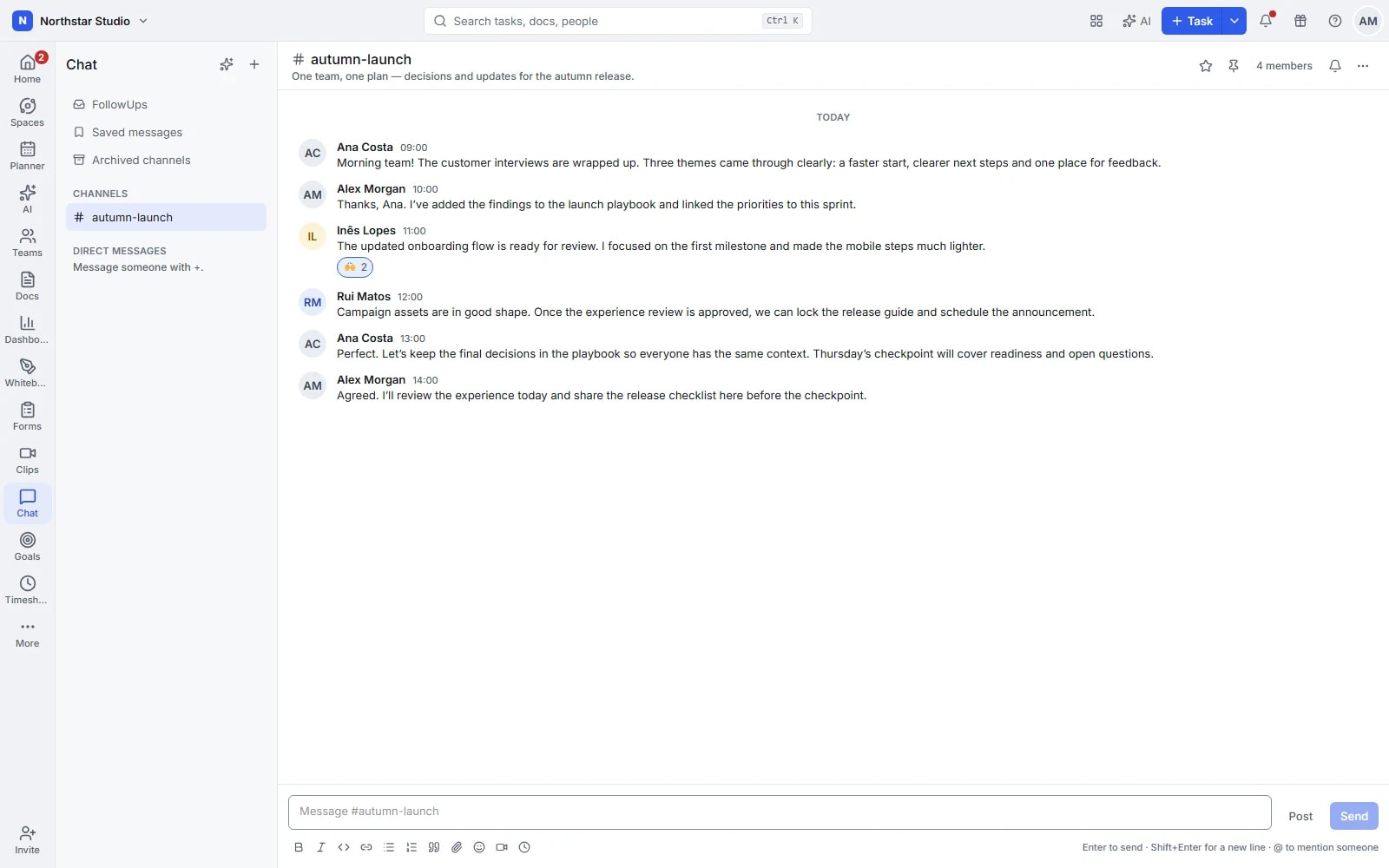
A place for the question, and the answer.
Some conversations need a whole team. Others need two people and a quick reply. Use channels and direct messages to find the right setting, then keep replies in threads so a useful answer can be found after the conversation has moved on.
The details your team can work with
- Choose who is in the conversation
- Create public or private channels for teams and projects, or send a direct message. Separate ongoing discussions by subject so people know where to ask.
- Keep the detail together
- Use threads for replies, reactions for acknowledgement and formatting for readable updates. Share files in the conversation instead of asking colleagues to find a separate attachment.
- Return to what matters
- Pin useful information, save messages and set reminders for a later reply. Search previous conversations when you need the detail behind a decision.
- Turn a message into the next step
- Create a task from a message when a request needs an owner. Use mentions, notification controls and muted channels to manage which conversations need your attention.
Explore the details
- Channels and direct messages
- Create channels for teams or projects and use individual or group direct messages for conversations that need a smaller audience.
- Formatted messages, files and reactions
- Format updates for easier reading, share files or pasted images and use reactions to acknowledge a message without another reply.
- Threads, mentions and assigned follow ups
- Keep replies together in threads, mention people or teams and assign a message when a request needs someone to follow through.
- Posts, announcements, ideas and discussions
- Give longer updates a clear post type, using announcements, ideas or discussions to distinguish their purpose within the conversation.
- Pins, favourites, saved messages and forwarding
- Pin shared references, favourite useful conversations, save a message for yourself or forward it when another group needs the context.
- Search, work links and task creation
- Find earlier messages, mention tasks or documents and create a task from a message when the request needs structured ownership.
- Drafts, scheduled messages and reminders
- Keep a message as a draft, schedule its delivery or set a reminder to return to a conversation at a better time.
- Configured calls and clip sharing
- Share a recorded clip in the conversation or open a call through the configured calling service when a live discussion helps.
- Presence, typing and notifications
- See available presence and typing indicators, follow relevant threads and adjust mentions, channel updates or muted conversations to suit your attention.
- Private channels and conversation management
- Choose a private channel when its audience is restricted, manage participants and archive or remove conversations when their purpose ends.
- Optional catch ups and thread summaries
- With AI enabled and configured, request a conversation catch up or thread summary, then check the messages behind the result.
A request should have somewhere to go
Keep the quick exchange in chat, then give the agreed work the structure it needs to be followed through.
Start in the right channel
Post the question with the relevant file or context. Mention a colleague when their input is needed.
Reach a decision in a thread
Gather replies together and pin information the rest of the team will need. Schedule a message if the update belongs later.
Give the request an owner
Turn the message into a task and continue the discussion with a clear next step. Save or remind yourself about anything still open.
A practical example: a campaign review
The marketing team shares draft assets in its campaign channel. Feedback stays in a thread, the approved direction is pinned and a request for a new landing-page headline becomes a task. Colleagues joining later can find the discussion that led to it.
An example you can adapt to your own team.
Questions about Chat
Can a channel be private?
Yes. Choose a public or private channel to suit the discussion, and use direct messages for conversations between colleagues.
How do I avoid following every update?
Mute channels, adjust notifications and use mentions for requests that need someone specific. Saved messages and reminders help you return to a conversation when you are ready.
Make space for the work that matters.
Bring your next project into Talqivo. Start with a task, invite your team and build from there.
Get started free