Give every request a clear way in.
Collect the brief, the deadline and the details your team needs. Turn each submission into a task in the right list, ready to review and assign.
Get started free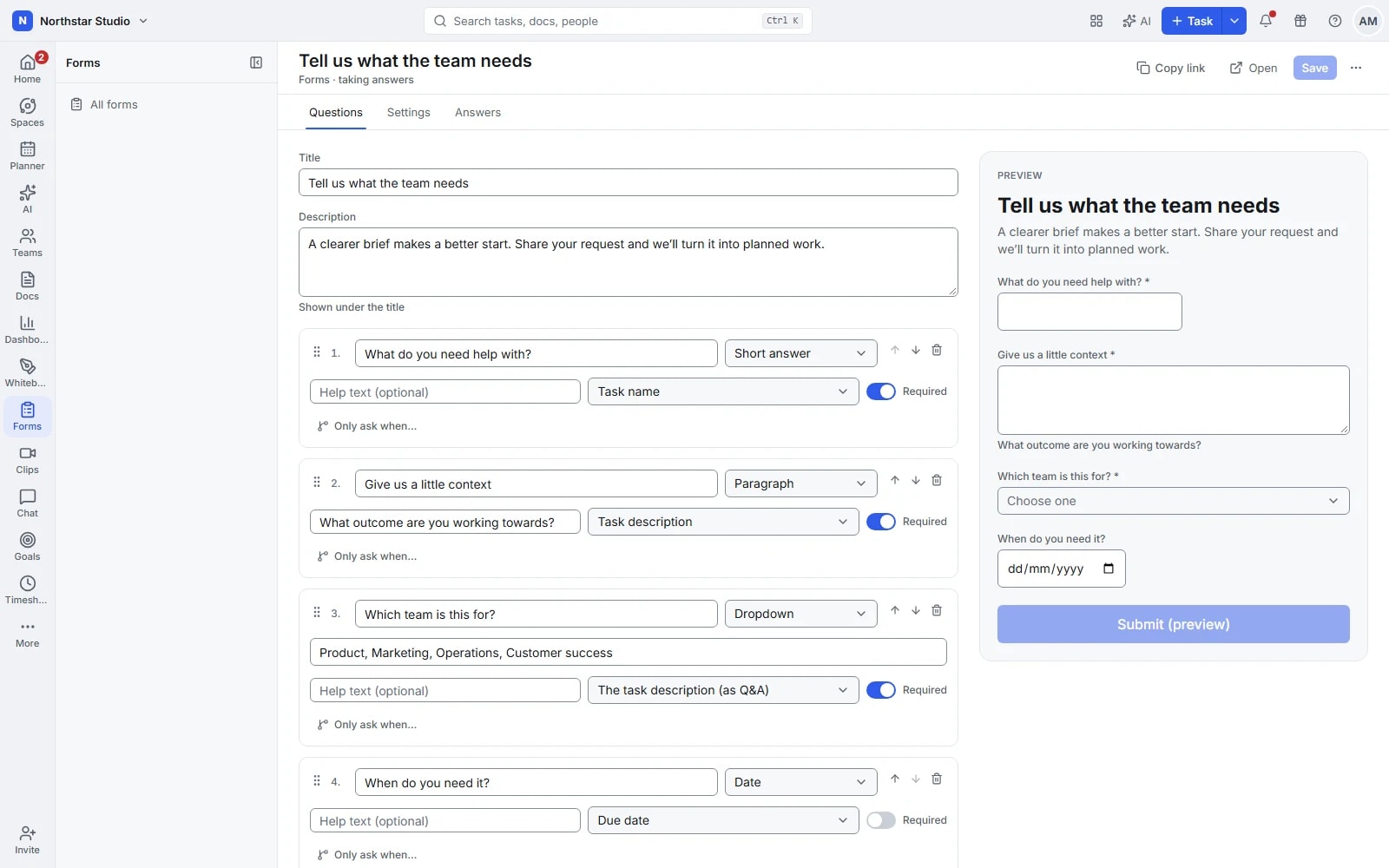
Better information before work begins
A request should arrive with enough context to act on. Talqivo forms bring the questions and the resulting work together: the person submitting gets a clear brief to complete, and your team gets a task rather than another message to copy across.
The details your team can work with
- Ask for the right details
- Combine text, dates, choices, budgets, ratings and attachments. Mark essential answers as required and use validation to catch incomplete or incorrectly formatted information before submission.
- Keep longer briefs manageable
- Split questions across pages and show relevant questions with conditional logic. Prefilled links and hidden fields preserve useful context, such as the campaign behind a request.
- Send answers straight into tasks
- Map answers to names, descriptions, deadlines, priority, assignees and custom fields. Set defaults or apply a task template so new requests arrive with a consistent starting structure.
- Choose how people submit
- Share a public link, embed a form or require sign-in. Review the answers table, export responses to CSV and configure submission notifications for the people handling the work.
Explore the details
- Questions and task field types
- Combine supported text, number, date, choice and custom field questions to collect information that matches the work your team tracks.
- Sections, pages and hidden fields
- Break a longer form into sections and pages, and carry useful context through hidden fields without asking the requester to repeat it.
- Conditional questions and validation
- Show questions when their conditions apply, require essential answers and check supported formats before the person submits the request.
- Responses become tasks
- Send each completed submission into the selected list as a task, keeping the collected brief available for the team to assess.
- Routing, owners, statuses and tags
- Map compatible answers to task fields and use routing or defaults to give new requests the appropriate owners, status and tags.
- Templates, defaults and prefilled links
- Start from a form or task template, set consistent defaults and prefill supported answers when the request already has known context.
- Files, drawn signatures and locations
- Collect supporting files, a drawn signature or a location through compatible questions, alongside the other details needed to review the request.
- Confirmation messages, email and redirects
- Choose the confirmation shown after submission and configure supported confirmation email or redirects when the requester needs a clear next step.
- Public, authenticated and embedded forms
- Share a public form link, require sign in for an internal request or embed the form where the process begins.
- Form branding and response exports
- Adjust the available design settings, review responses in a table and export CSV; removing Talqivo branding depends on the workspace plan.
From brief to a task your team can act on
Design the intake once, then keep improving it as you learn which details help the team assess requests.
Build the brief
Choose a destination list, add questions and map the answers to the fields your team uses.
Test and share
Preview the form, check conditional questions and publish the link or embed it where requests start.
Review incoming work
Open the created tasks, check priority and ownership, then move accepted requests into delivery.
A practical example: creative requests
A marketing team asks for a campaign goal, delivery date, budget and reference files. A request for a video reveals extra production questions. The submission becomes a task with the brief attached to the team's existing workflow.
An example you can adapt to your own team.
Questions about Forms
Does the person submitting need a Talqivo account?
A public form accepts submissions through its link. If the request should stay internal, you can configure the form to require sign-in.
Can answers populate fields rather than only a description?
Yes. Map supported questions to task fields, including custom fields. Other answers remain available as context, and submissions can be reviewed in the answers table.
Make space for the work that matters.
Bring your next project into Talqivo. Start with a task, invite your team and build from there.
Get started free