Keep the outcome in view as the work moves.
Give a goal an owner, a deadline and measurable targets. Link the work that contributes to it and keep a record of what changed along the way.
Get started free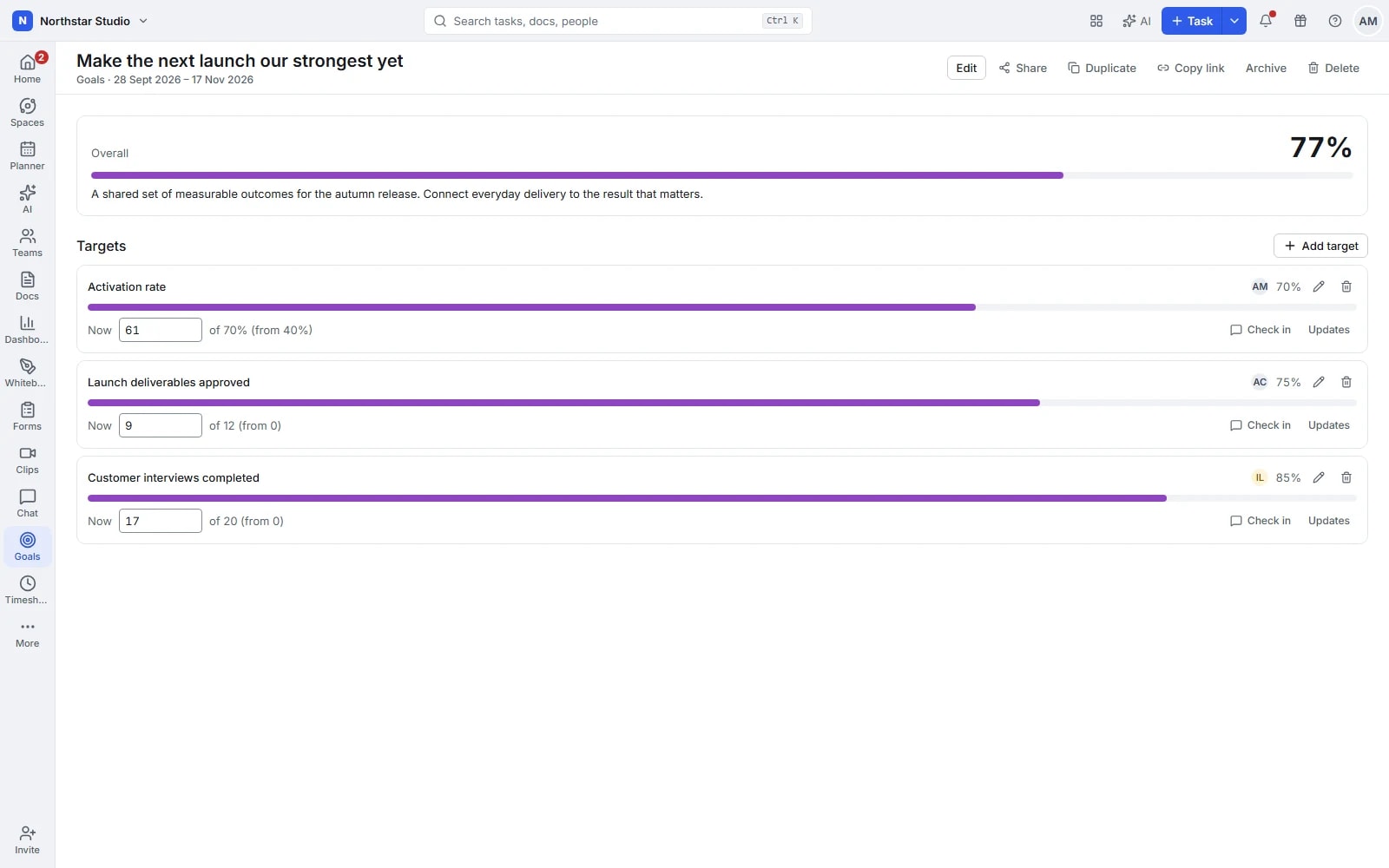
An agreed result, with a way to measure it
A list of completed tasks does not always explain whether a team achieved its aim. Goals keep the intended result visible alongside the targets used to assess it, so delivery conversations have a shared reference point.
The details your team can work with
- Measure what the goal requires
- Use numbers, money, percentages, yes/no milestones or completed tasks. Set a starting value and a target where appropriate, rather than forcing every outcome into the same measure.
- Connect progress to delivery
- Link individual tasks or lists to task-based targets. Their completion contributes to progress, keeping the outcome connected to the work your team is already updating.
- Make responsibility explicit
- Assign goal and target owners, add a description and set start and due dates. Organise related goals into folders so teams can find the commitments that matter to them.
- Keep the story behind the number
- Record check-ins with an updated value, a note or both. Review the update history during a check-in and control visibility when a goal needs a smaller audience.
Explore the details
- Goal folders and time periods
- Organise related goals into folders and give each commitment a start and due date so its review has a clear period.
- Goal and target owners
- Assign owners to goals and their targets, making clear who keeps the information current and who participates in the review.
- Numbers, money, yes or no and percentages
- Choose numeric, monetary, yes or no, or percentage targets and set starting and target values where that measure requires them.
- Targets linked to tasks and lists
- Associate individual tasks or lists with a task based target when completion of that work is a useful measure of the outcome.
- Linked progress and goal rollups
- Let linked task completion contribute to supported target progress and review the combined measures within the overall goal.
- Check ins, notes and history
- Record a new value, an explanatory note or both, then consult the update history when discussing what changed since the last review.
- Private goals and selected sharing
- Keep a goal restricted and give selected people view or edit access, with guest invitations where the workspace allows them.
- Goal cards in dashboards
- Include goal measures in a dashboard so the intended outcome can be reviewed alongside the tasks, time and delivery information.
Turn an intention into a reviewable commitment
Agree how success will be judged before work starts, then keep the evidence and discussion with the goal.
Define the result
Name the outcome, explain why it matters and choose owners and a timeframe for the goal.
Add useful targets
Choose measures that fit the result. Link delivery tasks where completion provides meaningful evidence.
Check in and adjust
Update values, record what changed and review progress with the people responsible before the deadline.
A practical example: prepare a service launch
A service team sets a launch goal with three targets: complete the readiness tasks, finish staff training and confirm approval. Task progress and a yes/no milestone show different parts of readiness without treating every activity as the same result.
An example you can adapt to your own team.
Questions about Goals
Does every target need a linked task?
No. Task-based targets follow linked work; numeric, monetary, percentage and yes/no targets can be updated through check-ins as the evidence changes.
How do we explain a change in progress?
Add a note when checking in on a target. Its update history keeps the value changes and the explanation available for the next review.
Make space for the work that matters.
Bring your next project into Talqivo. Start with a task, invite your team and build from there.
Get started free