Plan a sprint around what the team can finish
Bring the backlog, estimates and team capacity into the same planning conversation, then follow delivery through to the next sprint.
Get started free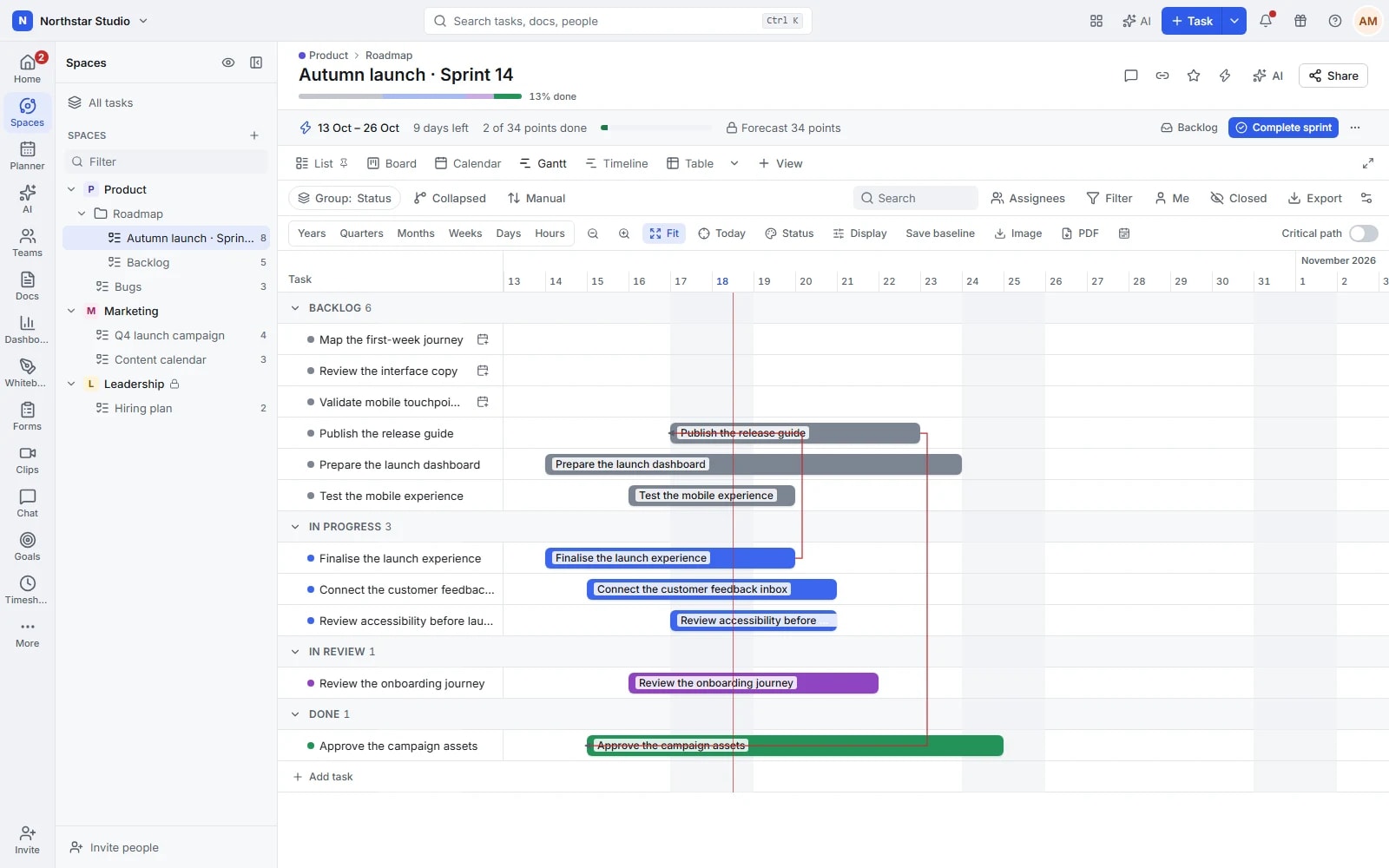
Give each iteration a clear starting point
A growing backlog is useful only when the team can choose what comes next. Talqivo groups sprint work into dated lists with a shared backlog, configurable effort measures and a forecast you can lock at the start. Planning, daily progress and the closing review stay connected to the tasks being delivered.
The details your team can work with
- Set a rhythm that fits
- Choose sprint length, start day and time zone, with working days and exceptions where needed. Configure automatic creation and closing so the next iteration follows an agreed schedule.
- Estimate on a shared scale
- Plan using points, time estimates or task counts. Choose a point scale, including Fibonacci, and review effort by assignee before adding more work to the sprint.
- Keep the original commitment visible
- Lock the forecast to preserve a starting reference. Follow completed effort and use burndown, burnup and velocity reporting to discuss progress and changes in scope.
- Close with an explicit decision
- When the sprint finishes, decide whether unfinished tasks stay, return to the backlog or move forward. Configure rollover for repeatable handling, with future sprints ready to plan ahead.
Explore the details
- Backlogs and sprint folders
- Keep a common backlog beside the sprint lists and move selected work into the cycle where the team intends to deliver it.
- Points and estimates by owner
- Use sprint points, time estimates or task counts, including supported effort splits by owner, to discuss a realistic scope.
- Duration, weekdays and time zone
- Choose the sprint duration, starting weekday and time zone, using a schedule that reflects how the team actually works.
- Capacity and non working days
- Review effort against capacity and account for working days and configured exceptions before adding more work to the sprint.
- Locked starting forecasts
- Save the planned effort as a starting forecast so the review can distinguish the original commitment from later changes in scope.
- Automatic cycles and unfinished work
- Configure supported sprint creation and closure, then choose whether unfinished tasks remain, return to the backlog or move forward.
- Default templates and inherited settings
- Reuse the sprint structure and available defaults so a new cycle starts with the team's agreed settings rather than another setup exercise.
- Burndown, burnup, velocity and dashboards
- Review remaining effort, scope changes and completed work through sprint reports, including the relevant cards in a delivery dashboard.
From backlog review to the next iteration
Keep the cycle simple: choose a realistic scope, follow it with the team and close with a clear account of what remains.
Prepare the next sprint
Review the backlog, clarify tasks and add estimates. Check dates and capacity before moving the selected work into the sprint.
Start with a forecast
Lock the planned effort, assign the work and follow task status. Use the original forecast to give scope changes a reference.
Review and carry forward
Check completed effort, decide where unfinished work belongs and use the report to inform the next planning conversation.
Keep a product release moving without hiding carryover
A product team selects a group of fixes and improvements from the backlog. It estimates the tasks, checks the split by assignee and locks the forecast. At closing, an unfinished improvement returns to the backlog for a fresh priority decision rather than disappearing into a completed sprint.
An example you can adapt to your own team.
Questions about Sprints
Do sprints have to last two weeks?
No. Configure a duration that suits the team, along with the start day, time zone and working-day settings. You can also plan a future sprint before the current one closes.
What happens to tasks that are not finished?
Closing a sprint gives you a choice: keep them in place, move them to the backlog or carry them into the next sprint. Rollover settings can make that handling consistent.
Make space for the work that matters.
Bring your next project into Talqivo. Start with a task, invite your team and build from there.
Get started free